
1- IBEasy+ design and development: Marc Grange
Release Notes
The software's first version can be traced back to the earliest version of Firebird in 2002. Different versions were then put online from 2002 to 2013 to end with version 1.5.4. A major update, version 2.0, was made in 2021. The software has been completely revised and fixed. Change compiler from Delphi 7 to Delphi 10.3 and rewrite a number of modules. All versions, starting with 2.0, support Firebird 3 and 4. The current version is 3.1.1, April 2024.
Description of the software
IBEasy+ is free of charge and suitable for both beginners and specialists. It facilitates the design and use of relational databases. The program contains:
- An integrated help module for database design which covers all the steps needed to build an "optimal" database.
- Analysis of the documents.
- Data dictionary construction with help (semantic analysis) to determine the semantic attachment category for each field in the document.
- Relationships between categories.
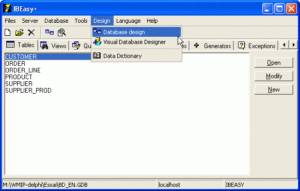
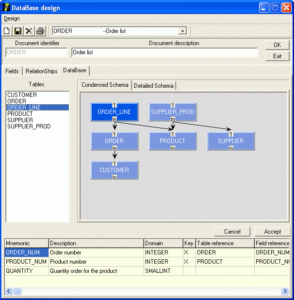
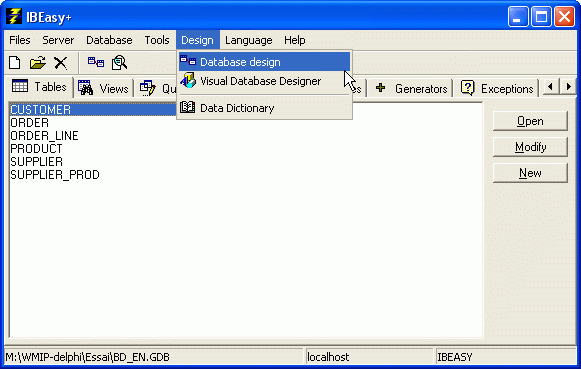
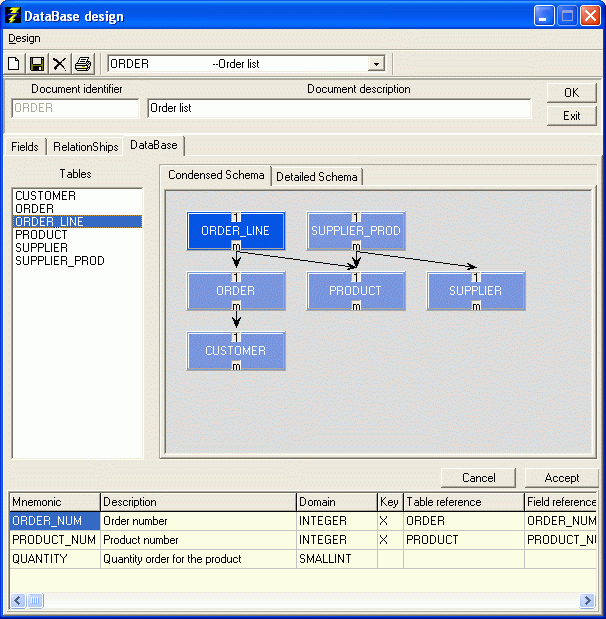
- Creation of the data diagram and generation of related tables. - A visual database design module allowing to:
-Visualize and update the diagram of an existing database. You can view the structure of the different tables and the referential integrity constraints that link them.
-Visually build a database: insert tables and referential integrity constraints - Easy and user-friendly access to the main features of FireBird, both in user and admin mode, with a set of specialized tools:
-Specialized editors for: Tables, Views, Domains, Stored Procedures, Triggers, Indexes, Triggers, UDFs, UDRs, Generators, Exceptions.
-SQL: Interactive mode (Expert) with history, visual mode (QBE: Query By Example),
-Backup, restore, shutdown, and restart functionalities.
-Grant manager
-Export to Word, RTF, TXT, Excel, CSV, HTML, MS Access, SQL, XML, with Blobs support for SQL and XML.
-Export of Interbase/Firebird databases to MS Access: tables, records, referential integrity constraints
-Import of MS Access databases: tables, records, referential integrity constraints
-Export/Import of FireBird databases to SQL with Blobs support
-Import of Excel files into Firebird tables with Blobs support
-Import of XML files into Firebird tables with Blobs support.
-Expression generator and analyzer for fields calculated in QBE queries.
-Form model designer to enter data in record mode
-Management of database diagrams including saving of diagrams to GIF and JPEG files.
--Blobs viewers and editors. Specialized editors for text, image, sound and video Blobs. Hexadecimal editor for other types of Blobs.
-...
Please read IBEasy+ installation guide carefully before installing the software.
IBEasy+ 3.1.1 (4/3/2024)
Release 3.1.1 fixes bugs in the installation of Microsoft Access Database Engine and in the export of Firebird tables with array fields to Ms Access and Excel.
Minor bug fixes.
Release 3.1
-Support for Bulgarian (Cyrillic) and Japanese (Unicode).
-Support for Firebird 5.
-Improved error messages in the SQL scripting module.
-The database's SQL export module has been modified to take into account IBEasy+ tables.
-Corrected the problem of results being displayed when running stored procedures.
-SQL export, comments are only generated for Firebird versions greater than or equal to 3.
-A lot of modules updated and fixed. Among others: Blobs viewer and editor, Form designer, Data entries for tables, Exports, Data Dictionary, QBE...
-New UDR management module.
| Download Windows 7-8-10-11 | Notes | Release Date |
| IBEasy+ 3.1.1 (Full) | Recommended Contains all the programs needed to run the software Size:47,2 MB Sha-256 : 1F3E3AA3355DAFF440B5C37C8C02D8DA0C98D8A839FA130A8AB58FEB999E70AF | 4/3/2024 |
| IBEasy+ 3.1.1 (Only) | For experienced users only If necessary, you can download Firebird and Microsoft Access Database Engine separately. See the links below. Size: 7,3 MB Sha-256 : 439E7D4B9122D9C1E5E720C184709C9229A908BA74ECDE20586A6750A6C02F52 | 4/3/2024 |
| Firebird Site 1 Firebird Site 2 | FirebirdSQL.org IBPhoenix (Firebird Distributions) | |
| Microsoft Access Database Engine | You must download the 32-bit version. If you encounter installation issues, check IBEasy+ installation guide. |